
Every
agent.
One window.
Claude Code, Codex, OpenCode, Cursor Agent and Grok Build — side by side, each in its own git worktree, with a real browser they can drive. Linux-first, Windows too. Free.
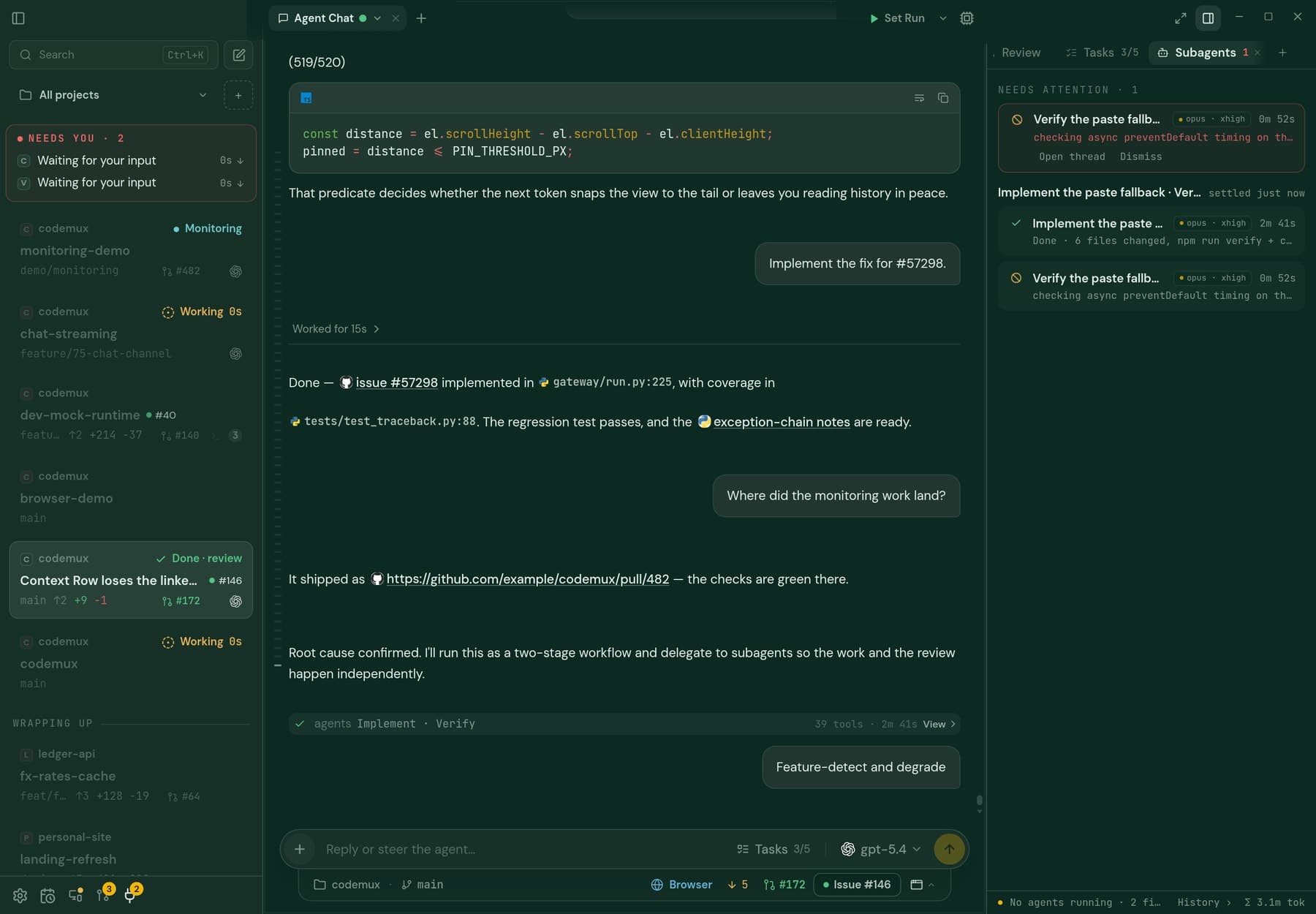
Type the task. Get a world.
A prompt becomes a branch, an isolated git worktree, and a running agent. Claude names the branch from your prompt. Your setup script runs, your .env files are copied in, main never feels a thing.
- One worktree per task — agents never interfere
- Pick agent, model and — for Claude and Codex — reasoning effort at creation
- Link a GitHub or GitLab issue; its context goes in the prompt

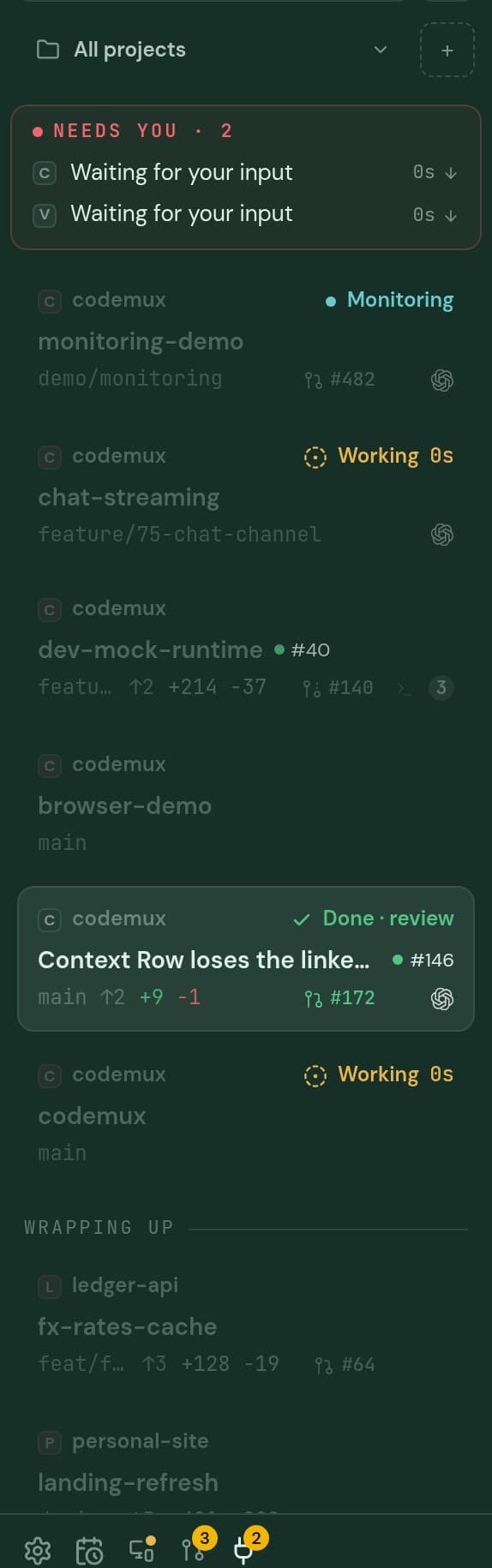
Five agents. One conversation view.
Native chat for Claude Code, Codex, OpenCode, Cursor Agent and Grok Build — tool calls, diffs, subagents and questions rendered, not scrolled past in a terminal. Prefer the raw CLI? Shift-click New agent, or add a terminal from the + button — or switch the whole app to CLI mode in Settings.
- Async questions: the agent asks, you answer when you’re back
- Background tasks with live status per pane
- Usage and estimated cost per session, on a chart
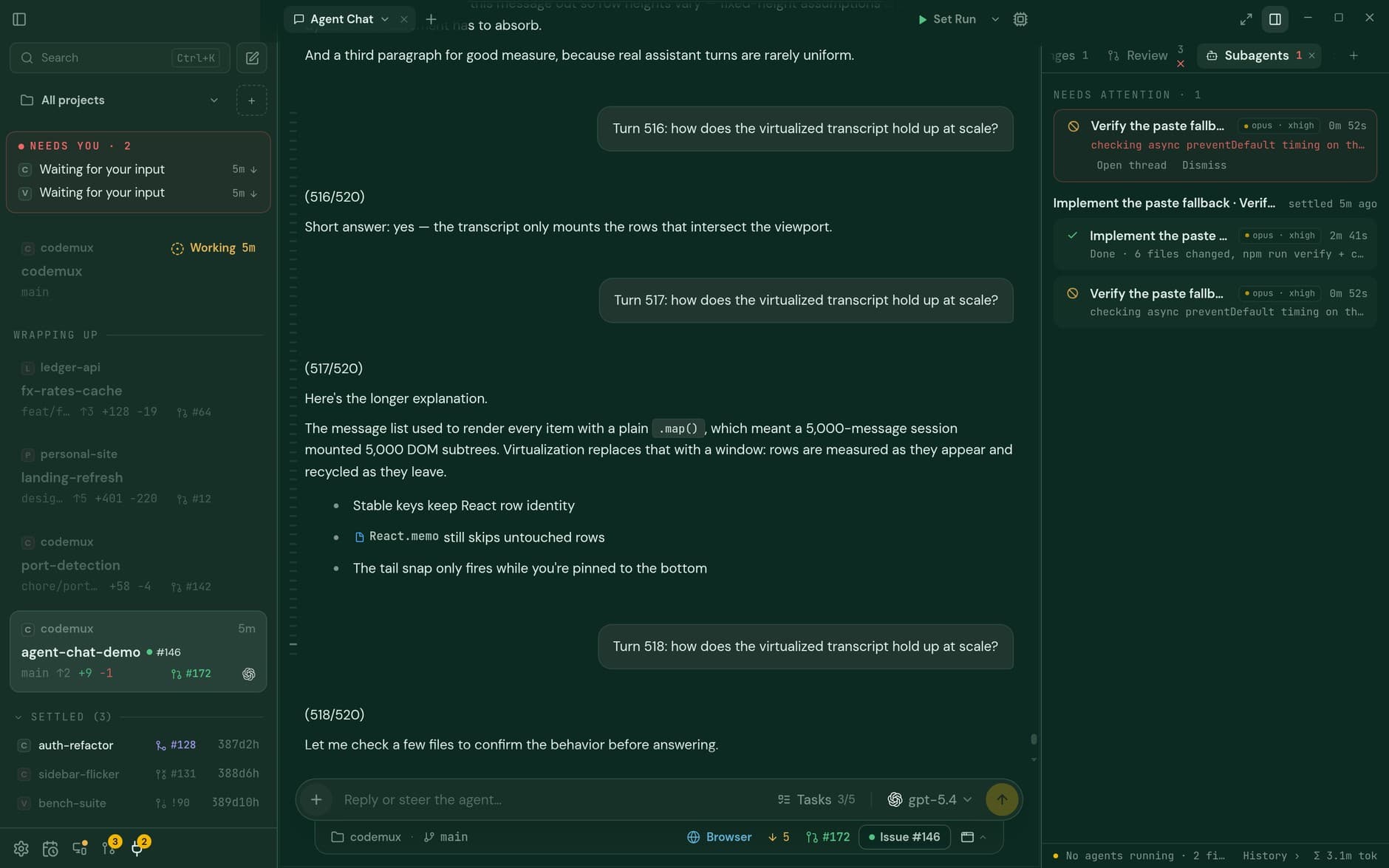
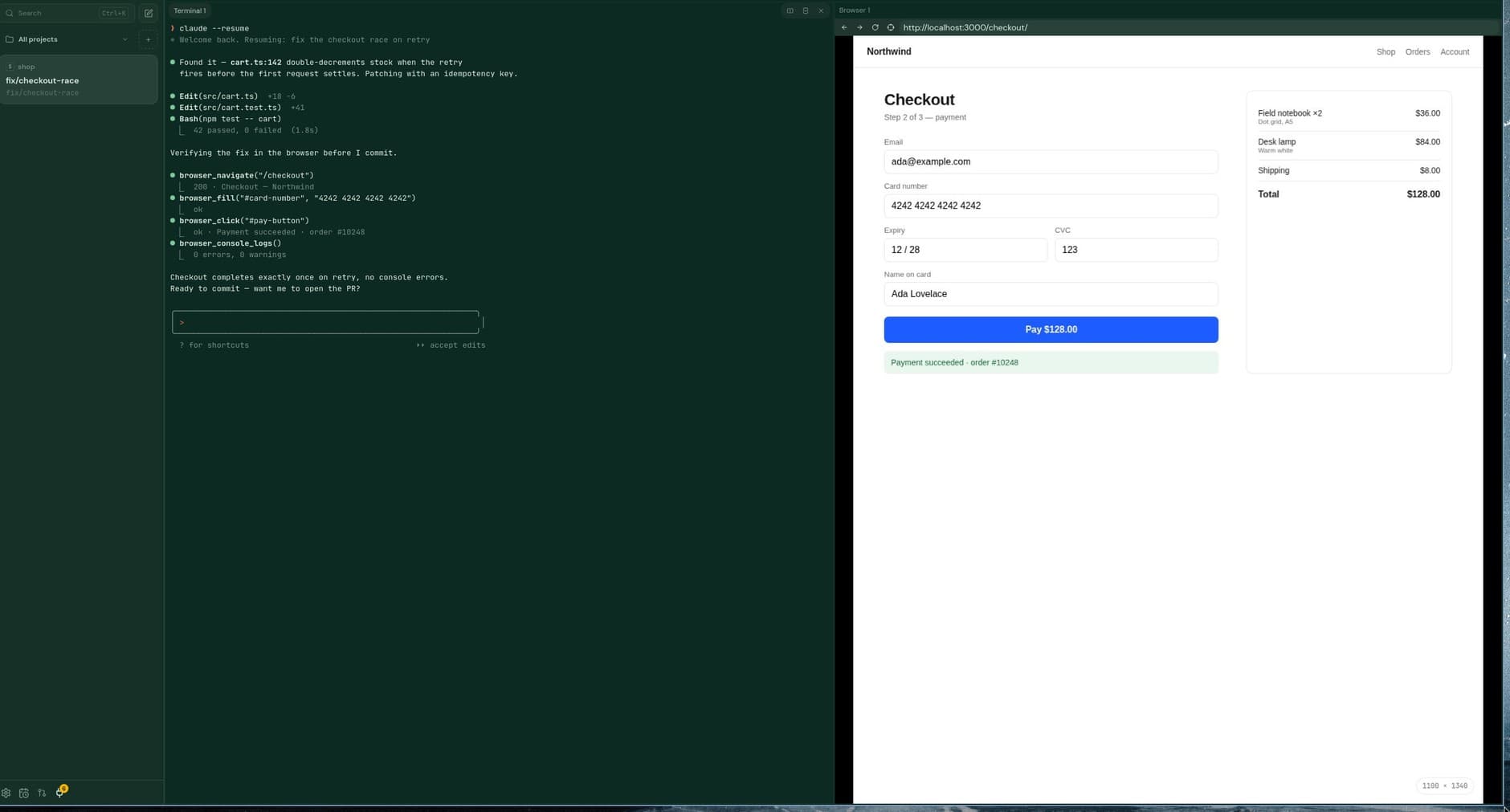
The agent sees what it ships.
The Chromium, Chrome or Brave you already have, streamed into a pane. The agent navigates, clicks, fills and reads the console — and resizes the viewport to any breakpoint you name, so it watches your media queries fire while you watch it. Three input tiers: DOM, CDP, and OS-level for the iframe nothing else can reach.
- Real viewport resize, not a scaled screenshot
- Element inspector → “Tell agent”
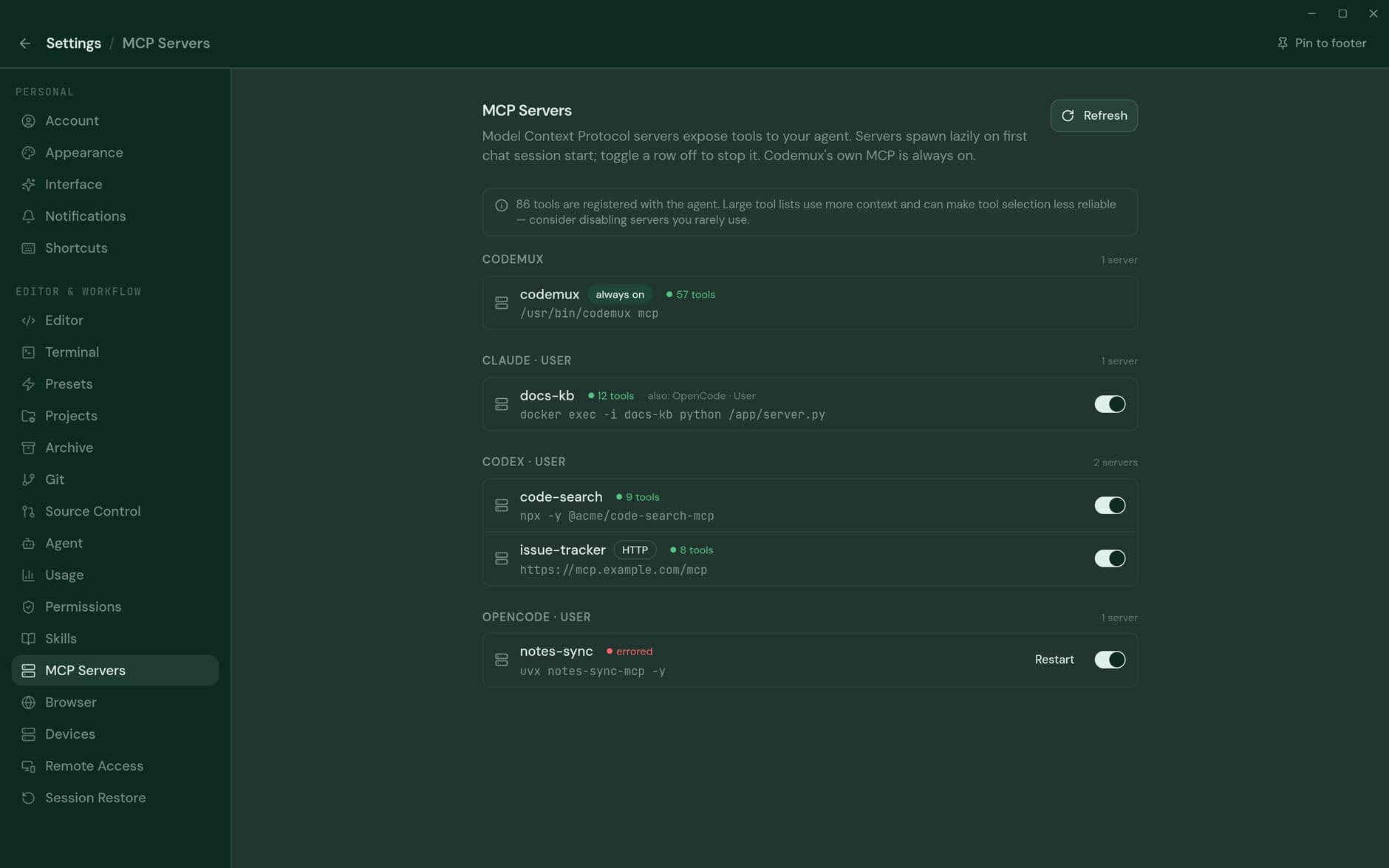
- Console, screenshots and evaluate, all as MCP tools
- OS-level input: ydotool on Hyprland, SendInput on Windows

Leave it running. Reach it anywhere.
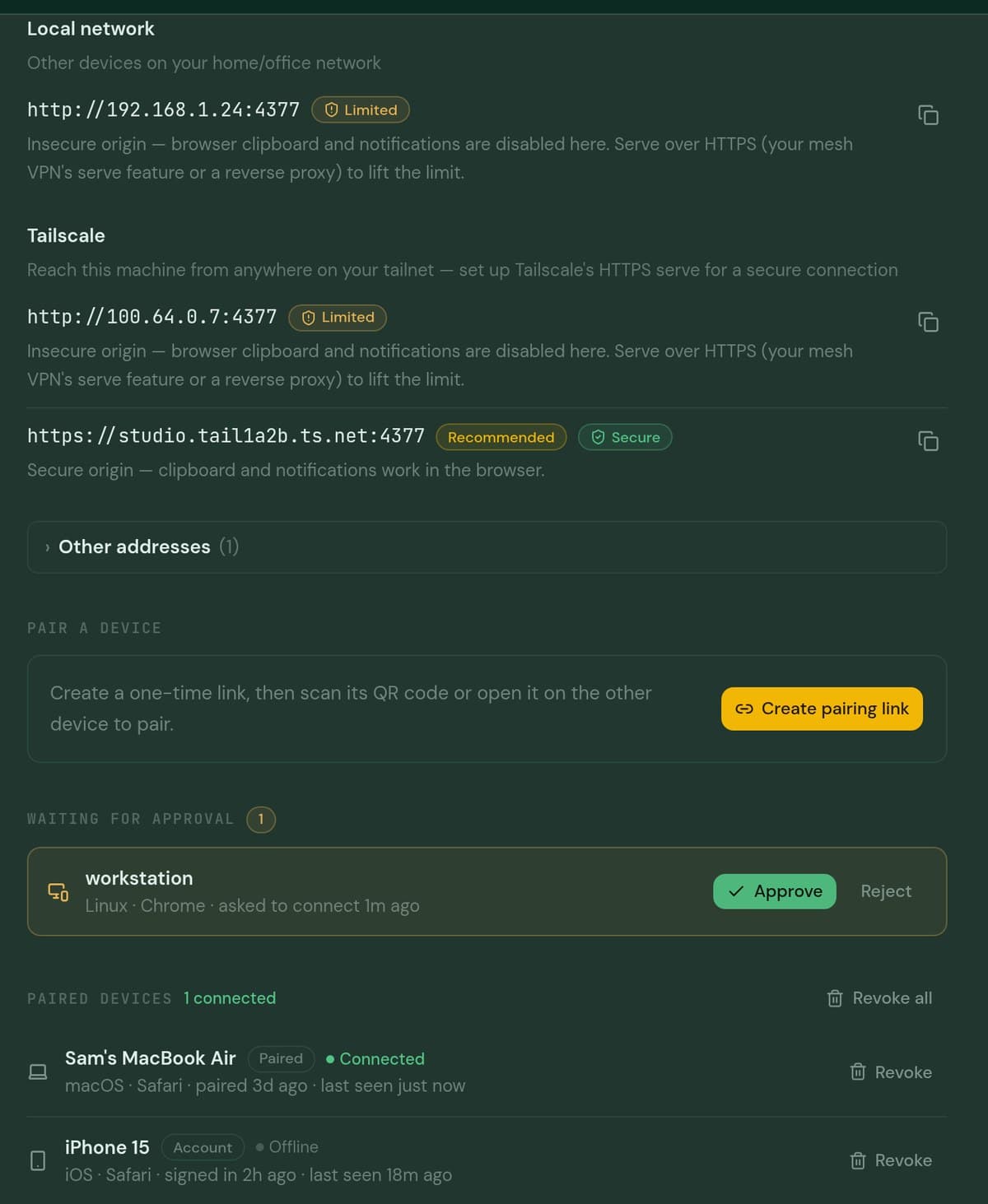
The same Codemux interface, served to any browser — from your LAN, your tailnet, or anywhere on the internet. Run it headless on a home server or VPS with codemux serve. Nothing moves; you just open a tab.
- On your own network, no account.
codemux remote pairprints a link and a QR. Links are single-use and expire in 10 minutes. Scope it to loopback, your tailnet, or every interface. - From anywhere, end-to-end encrypted.
codemux connectsigns the machine in, turns on the relay, and installs a user service that survives logout and reboot. Open app.codemux.org, pick the machine, work. The relay only ever sees ciphertext. - Several machines, one tab. Every machine you connect shows up in the device picker with its last-seen time. Pick one — the full app runs against it.
Already set a machine up? Open the web client →
Boring infrastructure. Done right.
codemux is also the CLI and the MCP serverClose the app. Keep the agent. On Linux, terminals live in a daemon outside the window, so quitting Codemux doesn’t kill a running session — reopen and reattach mid-stream.
Push the workspace. Keep the keyboard. The other direction from Remote Access: move the work to another box. A one-time SSH bootstrap puts the agent and its worktree on a homelab or VPS, and the desktop drives it like a local pane.
Schedule it. Automations run an agent on a prompt, on a recurrence, in a fresh workspace, on the host you choose.
Native packages. No ceremony.
Arch, Debian, Fedora, AppImage, Windows — x86_64. On Linux, install.sh detects your distro and picks for you. Available for Linux and Windows; macOS isn’t built yet — you’ll get the waitlist, not a pretend button.
Desktop builds update through the signed built-in updater. install.sh --dry-run prints every step before it runs anything.
Built daily. Here’s the receipt.
Source-available under the Elastic License 2.0: read it, patch it, run it on your own machines. Releases ship when there’s something worth updating for — sometimes twice a day, sometimes after two. The changelog is the roadmap.
Dates, versions and notes pulled from GitHub releases at build time
I run several coding agents at once. It used to be a row of terminal tabs — and the moment two of them were working in the same project, I was the bottleneck. What I actually needed was a worktree per agent, and setting those up by hand every time is its own job.
Everything that solved it was Mac-first. So I built Codemux for Linux, and it runs on Windows too. One window, free, and I ship most days — if something’s broken, the issue tracker is where I live.

Put your agents to work.
Free · sign in with GitHub or email · Linux-first, Windows too · v0.24.0